


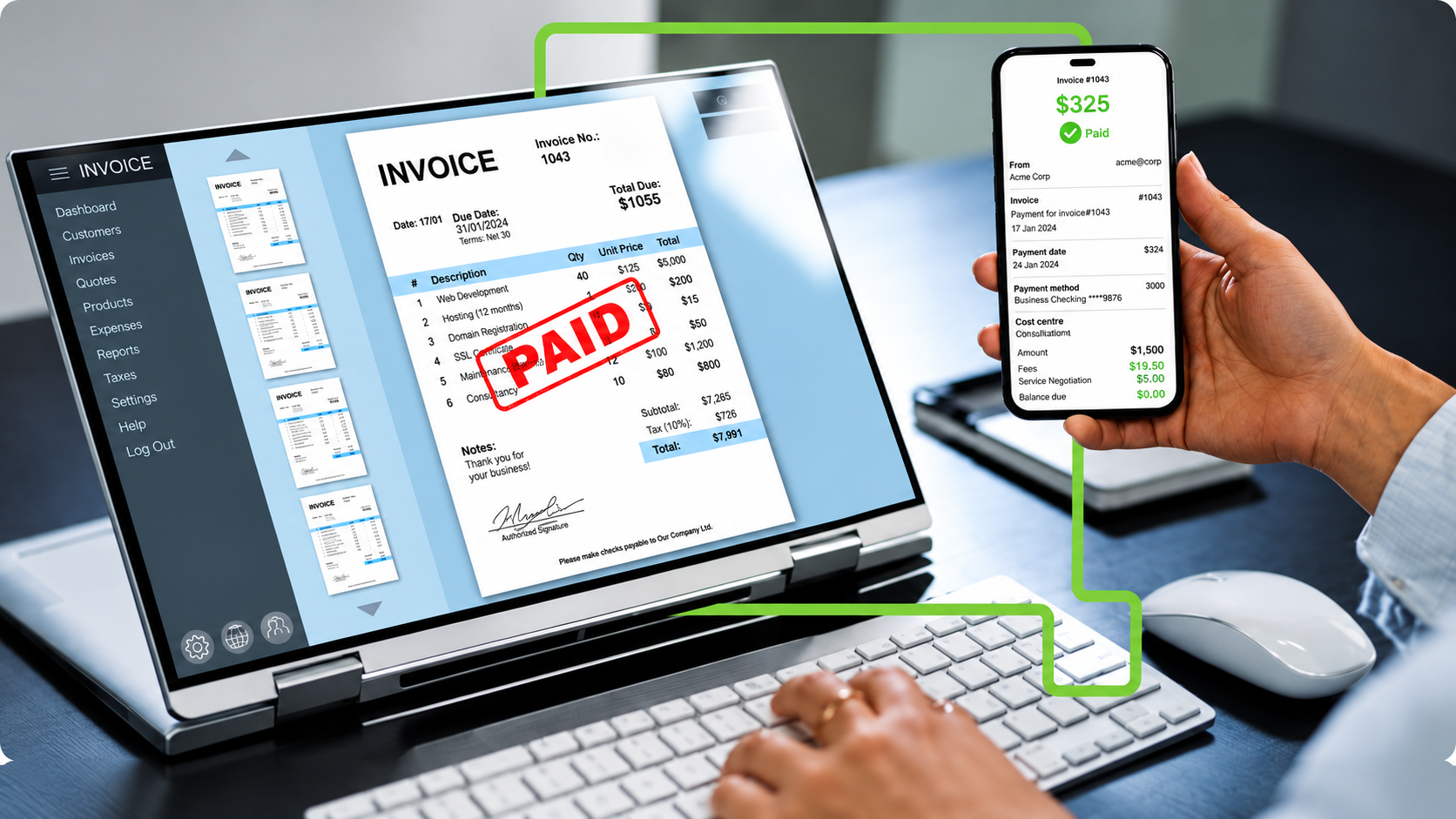
Most finance teams already know what invoice reading software is good for. OCR pulls the vendor name, amount, PO number, and due date off a PDF or scan, matches it against the purchase order, and gets the invoice into an approval queue without someone retyping every line. That part works. What still breaks for a lot of companies is everything that happens after approval.
The invoice is"done" inside the OCR tool, then someone exports a file, opens a bank portal, and keys the payment in again. Or they print a check. Either way, capture and settlement live in two different worlds. That handoff is where cycle time stretches, discounts get missed, and duplicate payments sneak through.
When invoice reading software with integrated payments handles both capture and settlement in one flow, AP starts looking less like overhead and more like a function that can actually return cash. InvoiceMax from OCR Solutions is built around that idea. The rest of this piece walks through where the value shows up, using 2026 industry benchmarks rather than made-up customer wins.
Plenty of AP automation projects look great on the front end and stall at payment. The OCR engine reads the invoice cleanly. Then a clerk logs into a separate system to pay it. Every extra system in that chain adds delay and a chance for capturing the wrong amount, the wrong vendor, or the wrong account.
Benchmarks still put manual invoice processing around $10 to $15 per invoice at mid-market companies, and closer to $40 when the document is long and messy. Automated invoice processing usually lands in the $2 to $5 range, sometimes under $2 when the process is nearly touchless. Cycle time tells a similar story: ten to fourteen days from receipt to payment by hand, three to five days when the workflow is automated.
Those savings only stick if payment rides inside the same loop. If approved invoices still get re-keyed into a bank portal, you paid for OCR and then paid again for the last mile.

Once payments sit next to capture, nobody has to re-enter bank details that the system already holds. Manual AP still sees something like 20–25% of invoices kicked out as exceptions, and each one can eat twenty to thirty minutes. Straight-through automated flows tend to sit closer to 8–12%. Fewer touches means lower laborcost per invoice, and fewer chances for a duplicate or a bogus payment to clear.
This is the part CFOs care about once the plumbing works. If the same platform that reads and approves the invoice can also release the payment, early-payment discounts stop being aspirational. Classic "2/10 net 30" terms (2% off if you pay within ten days instead of thirty) annualize to roughly 36% on the cash. Manual teams miss a lot of those windows because approvals crawl. Integrated payments can schedule the payment while the discount is still open.
Virtual cards add another layer. Card networks typically pay the payer a rebate in the ballpark of 1–2% on spend that runs through them. Route a meaningful share of payables that way and the rebate can cover a big chunk of the software cost, sometime smore.
When payment, remittance data, and approval history live in one place, reconciliation stops being a month-end archaeology project. You are not re-keying into the ERP or matching bank lines one by one. Staff who used to chase paper can spend time on exceptions and vendor conversations instead. Vendors also get paid on a schedule they can trust, which helps when you need better terms later.
Paper checks remain a favorite target for payment fraud. Moving those payments to ACH or virtual cards inside a workflow with approval hierarchies, audit trails, and vendor bank-detail verification closes a lot of the gaps fraudsters use. OCR Solutions already builds tools around document authentication and identity verification; carrying that same caution into the payment step is a natural extension, not a bolt-on slogan.
OCR-only setup, still common: invoice lands, InvoiceMax reads it, data gets exported, an AP clerk opens the bank portal, keys the payment, prints a check or schedules ACH, then marks it paid in the ERP by hand. Ten days or more is normal. Early-payment discounts are mostly lost. Virtual-card rebates never enter the picture.
Same capture engine with payments in the loop: invoice lands, InvoiceMax reads and validates it, the approval route fires, and once approved the system pays through the method that fits (virtual card when a rebate is available, ACH when cost matters more, early when a discount is on the table). Remittance and reconciliation post without a second round of typing. Three-day cycles are realistic. Discounts get taken. Rebates show up.
The OCR was always the on-ramp. Payments are what turn that captured data into working-capital leverage.
For SMB and mid-market AP groups, the practical win is volume without headcount. Invoice volume doubles; you do not automatically hire three more clerks if touchless processing absorbs most of the work. For CFOs, the story is working capital: pay when the discount or rebate makes sense, not whenever someone finally gets to the bank portal.
Invoice reading software solved capture. Integrated payments are how that capture starts paying you back.
AP automation that pairs invoice OCR capture with a built-in payment engine. An invoice can be read, validated, approved, and paid in one platform instead of being exported to a separate bank portal.
Automation alone often cuts per-invoice cost by 60–80% (from the $10–$15 manual range down to $2–$5). Adding payments is where early-payment discounts (about 36% annualized on 2/10 net 30) and virtual-card rebates (roughly 1–2%) show up. Those can cover a large share of the software cost.
It can be, when the platform enforces approval workflows, audit trails, and vendor bank-detail checks. That profile is usually tighter than mailing paper checks, which remaina common fraud path. With SOC2 compliance and over 20 years without 1 incident, OCR Solutions has you covered.
Payment platforms in this category typically sync approvals, remittance, and reconciliation back to the ERP. Confirm the specific connectors on the InvoiceMax product page before you assume a given system is covered.
