

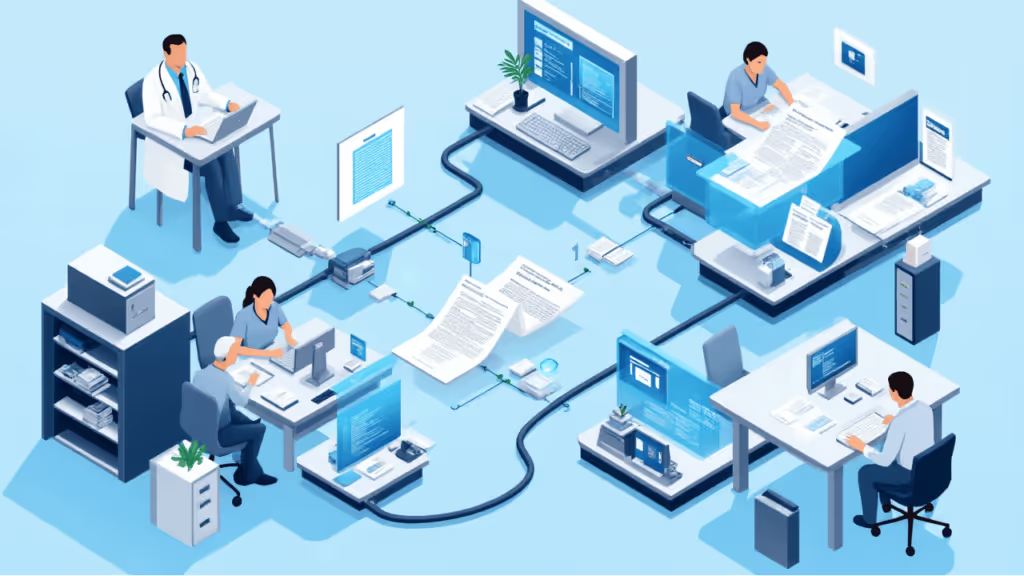
Medical claims automation is the use of OCR (Optical Character Recognition) to extract, validate, and process data from healthcare claim forms without manual data entry. On structured forms like CMS-1500 and UB-04, template-based OCR achieves 99% field-level accuracy and reduces per-claim processing time from 5-10 minutes to under 60 seconds.
But here is the part most vendors will not tell you: medical claims are one of the hardest document types to fully automate. Invoices hit 80% straight-through processing with no human touch. Medical claims? About 10%. The rest go through a human verification step. That is not a failure of the technology. It is a reflection of how complex healthcare billing actually is, and why the verification workflow matters just as much as the OCR engine itself.
Hospitals spent $19.7 billion in 2022 trying to overturn denied claims. Denial rates at many organizations sit between 10-15%, and the average cost to rework a single denied claim is $43.84. Those numbers get thrown around a lot, but what rarely gets discussed is how predictable most of these denials are.
Talk to anyone who has run a claims processing floor and they will tell you the same thing: the majority of preventable denials come from three places. Wrong CPT or ICD-10 codes entered during manual data capture -- that alone accounts for roughly 30% of all medical billing denials. Missing required fields that an operator skipped because the source form was hard to read or they were rushing through a stack. And patient data mismatches, where a name, date of birth, or insurance ID gets transcribed wrong from the original claim.
All three are data capture problems. They happen at the point where a human reads a form and types what they see into a billing system. The person is not incompetent. They are processing their hundredth claim of the day, the fax is blurry, the handwriting is bad, and the deadline is tomorrow. That is the environment OCR-based medical claims processing was built to address.
There is a meaningful difference between how OCR handles a standardized CMS-1500 form and how it handles a random EOB attachment, and most buyers do not realize this until they are deep into implementation.
For structured forms like CMS-1500 and UB-04, the best approach is template-based extraction. The system knows exactly where every field sits on the form. Box 21 is always the diagnosis code. Box 24 is always the procedure. There is no guesswork. The OCR reads content from predefined coordinates, validates it against expected formats, and maps it directly to the right data fields. That is how you get 99% accuracy -- the layout is completely predictable.
In a Texas Medicaid deployment that has been running for over four years, this approach processes more than 1 million claims per month. The operation went from 150 staff down to 80. That is not a marketing number -- it is an Accenture-partnered implementation that has been in production since around 2021.
For non-standard documents -- EOBs, medical records attached to claims, unusual payer forms -- AI-based extraction is more flexible but less precise on structured content. The practical setup most large operations use is template OCR for the standard forms where accuracy matters most, and AI extraction for the supporting documents where flexibility matters more. Trying to use one approach for everything is how accuracy numbers start looking worse than they should.
If you process CMS-1500 forms and your OCR accuracy is disappointing, the problem might not be your OCR engine. It might be your scanner setup.
Standard CMS-1500 forms are printed with red ink on white paper. Red dropout scanning removes that red pre-printed template from the scanned image before OCR processes it. What the engine sees is clean typed or handwritten data on a blank white background instead of text mixed in with form borders, labels, and boxes. The accuracy improvement is dramatic.
This is not some obscure feature. It is arguably the single most important configuration step for CMS-1500 processing, and most OCR vendors barely mention it. It requires specific scanner calibration, and the quality of the dropout directly affects everything downstream. If you are evaluating OCR systems and nobody has asked about your scanner setup and red dropout configuration, that is a red flag.
Here is where the 10% number from earlier matters. Only about 10% of medical claims go straight through with zero human review. The other 90% hit the verification station -- and that is by design.
Every field OCR extracts gets a confidence score. Fields that fall below a configurable threshold get routed to a human reviewer. The verification station uses color coding to make this fast: pink highlight means the system has low confidence in its reading, blue means the field requires manual review regardless of confidence (some organizations flag certain high-risk fields this way). Supervisors can route batch types to specific reviewers and manage workload distribution.
The reason this matters for billing accuracy: the human reviewer is not re-entering the entire claim from scratch. They are looking at a handful of flagged fields and confirming or correcting the OCR output. That is why processing time drops from 5-10 minutes to under 60 seconds. The machine does the heavy lifting. The person handles the judgment calls. And because the system learns which field types have lower confidence on which form types, the routing gets smarter over time.
This is also why honest vendors will tell you about the 10% auto-rate upfront instead of letting you assume everything flies through untouched. If someone is promising you 90% straight-through processing on medical claims, either they are defining "straight-through" differently than you think, or they have not actually deployed at scale in healthcare.
Clean claims in medical billing are claims that pass through payer adjudication on the first submission without rework. Your clean claim rate is probably the single most important metric in your revenue cycle, because every claim that does not need rework saves both the cost of fixing it and the weeks of delayed payment while it sits in appeals.
Medical claims automation improves clean claim rates in a few specific ways. Pre-submission validation catches formatting errors, missing fields, and invalid codes before the claim reaches the payer. Unlike a human operator whose error rate climbs through an eight-hour shift, OCR reads every field the same way every time -- there is no variance from fatigue or training gaps across different operators. And over time, claims data reveals which field-payer-claim type combinations have the highest denial rates, so the system can flag those for extra review before submission.
Organizations running OCR-based medical billing and claims processing typically see measurable improvements in first-pass acceptance within the first quarter. The bigger gains show up in year two, after the system has enough data to optimize confidence thresholds and routing rules for your specific claim mix.
Two questions come up on every single discovery call: "Can it handle handwritten claims?" and "What about faxes?"
The honest answers: handwritten claims are hard. Current OCR engines handle typed text at 99% on structured forms. Handwritten fields are a different problem entirely. There are options -- Amazon Textract can process handwritten content at roughly $1 per scan -- but it only makes financial sense above certain volumes. If 5% of your claims have handwritten fields and you are processing 50,000 claims a month, the math works. If you are processing 5,000 claims a month, it probably does not.
Faxed claims are more manageable. Cleanup algorithms remove fax headers, reduce noise, and improve resolution before OCR runs. For operations that receive large volumes of poor-quality faxes, overnight batch processing can run the cleanup and extraction during off-hours so everything is ready for review in the morning. Accuracy on faxed claims is lower than direct scans -- they are more likely to route through verification -- but the system handles them.
The point is: any vendor that tells you their system handles everything perfectly is either selling you something they have not tested in production, or they are redefining "handles" to mean something different than what you expect. The value of OCR on medical claims comes from being dramatically faster and more consistent than manual entry, not from eliminating humans from the process entirely.
Both deployment options are HIPAA compliant and SOC2 certified with BAAs available. The decision comes down to volume and data control preferences.
For operations processing 50,000+ claims per month, on-premise usually delivers better long-term ROI after the first year. For smaller or more variable volumes, cloud avoids the infrastructure investment.
OCR output needs to reach your billing system, EHR, or clearinghouse. Standard export paths include 837 (the HIPAA-mandated EDI format), JSON/XML/CSV for custom integrations, and SQL connectors for direct database connections to EHR/EMR systems.
Implementation typically runs 1-3 months from discovery to production. The variable is integration complexity -- a standard 837 export to an existing clearinghouse is fast. A custom SQL integration to a legacy EHR takes longer. First-year costs are higher because of setup, training, and integration work. ROI improves significantly from year two.
Minimum volume for positive ROI is roughly 10,000-15,000 claims per month. The sweet spot is 50,000+. Below 10,000, the math usually does not work unless you have a specific accuracy problem that is costing you more in denials than the system costs to run.
Skip the marketing decks. These are the questions that actually separate vendors who have done this before from vendors who are figuring it out on your dime:
What is your accuracy on CMS-1500 and UB-04 specifically? Not blended accuracy across all document types. Template-based OCR should be at 99%+ on structured medical forms. If they cannot give you a form-specific number, that is telling.
Do you support red dropout scanning, and will you help configure our scanners? This is not optional for CMS-1500 processing. If the vendor does not bring it up, they may not have deep experience with medical claims.
What is your actual straight-through processing rate on medical claims? If the answer is above 20-25%, ask them to define exactly what "straight-through" means in their system. The industry reality is around 10% for medical claims.
Can you show me a reference deployment at my volume? The Texas Medicaid case study runs at 1M+ claims per month. If your volume is 20,000 per month, ask for a reference closer to your scale.
How do you handle multi-page claims with attachments? Auto-separation using anchor fields (NPI, SSN, date of service) is the right answer. Attachments should be preserved through export with no extra charge.
Template-based OCR achieves 99% field-level accuracy on structured forms like CMS-1500 and UB-04. This depends on scan quality and proper scanner calibration, particularly red dropout configuration for CMS-1500 forms. Handwritten fields have lower accuracy and may require ICR or Amazon Textract at approximately $1 per scan.
Under 60 seconds per claim, compared to 5-10 minutes for manual data entry. That includes scanning, extraction, validation, and routing to verification for any low-confidence fields. Batch processing handles thousands of claims per hour.
The breakpoint is approximately 10,000-15,000 claims per month. The sweet spot is 50,000+. First-year costs are higher due to setup and integration. ROI improves significantly from year two.
Yes. Cleanup algorithms remove fax headers, reduce noise, and improve image quality before processing. Overnight batch processing is available for large fax volumes. Accuracy is lower than direct scans, so faxed claims route through verification more often.
Both cloud and on-premise deployments are HIPAA compliant and SOC2 certified. BAAs are available. On-premise keeps all data within the customer's infrastructure for organizations with strict data residency requirements.
